macOS · Real-time two-way interpretation
Your personal interpreter,
in every meeting
They speak — you read subtitles in your language. You speak — they hear theirs.
Not another meeting app — it sits on top of any meeting or call: Zoom, Teams, Google Meet, Slack, FaceTime… If your Mac can play the other side's voice, it works, and they install nothing. A face-to-face mode covers cross-language conversations at one machine.
Two lanes, one conversation
It listens on your Mac, translates in the cloud, and feeds the result back into the meeting.
Two independent lanes, each with its own switch: one turns their speech into captions you can read, the other turns your native language into a voice they understand. Recordings and meeting records stay on your machine.
Captions the moment they speak
Multi-speaker meetings are diarized automatically — every voice gets its own label.
You speak your language, they hear theirs
Translated live and voiced by speech synthesis — your voice plus the translation, or the translation alone.
What it does for you
From captions to the archive, one meeting fully caught.
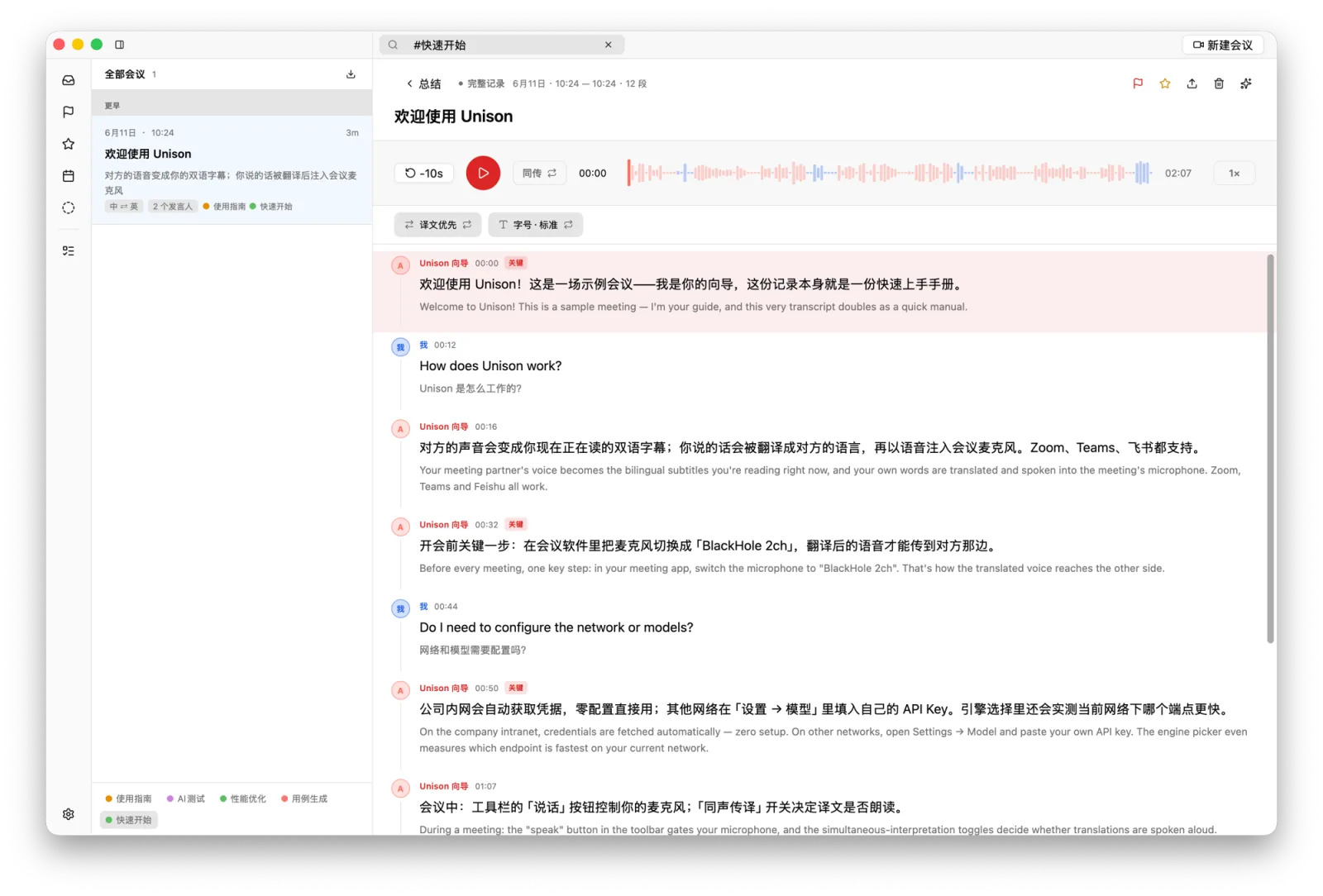
Live bilingual captions
Original and translation appear the moment they speak; speakers are told apart automatically.
Speaks the language for you
Talk normally in your language; it translates live and voices it to the other side — with or without your original voice.
Face-to-face mode
One Mac, two languages: each side speaks and reads their own language — no meeting app needed.
Auto archive & replay
Every meeting records itself; replay it like a podcast with a chaptered bilingual transcript.
AI summaries · templates
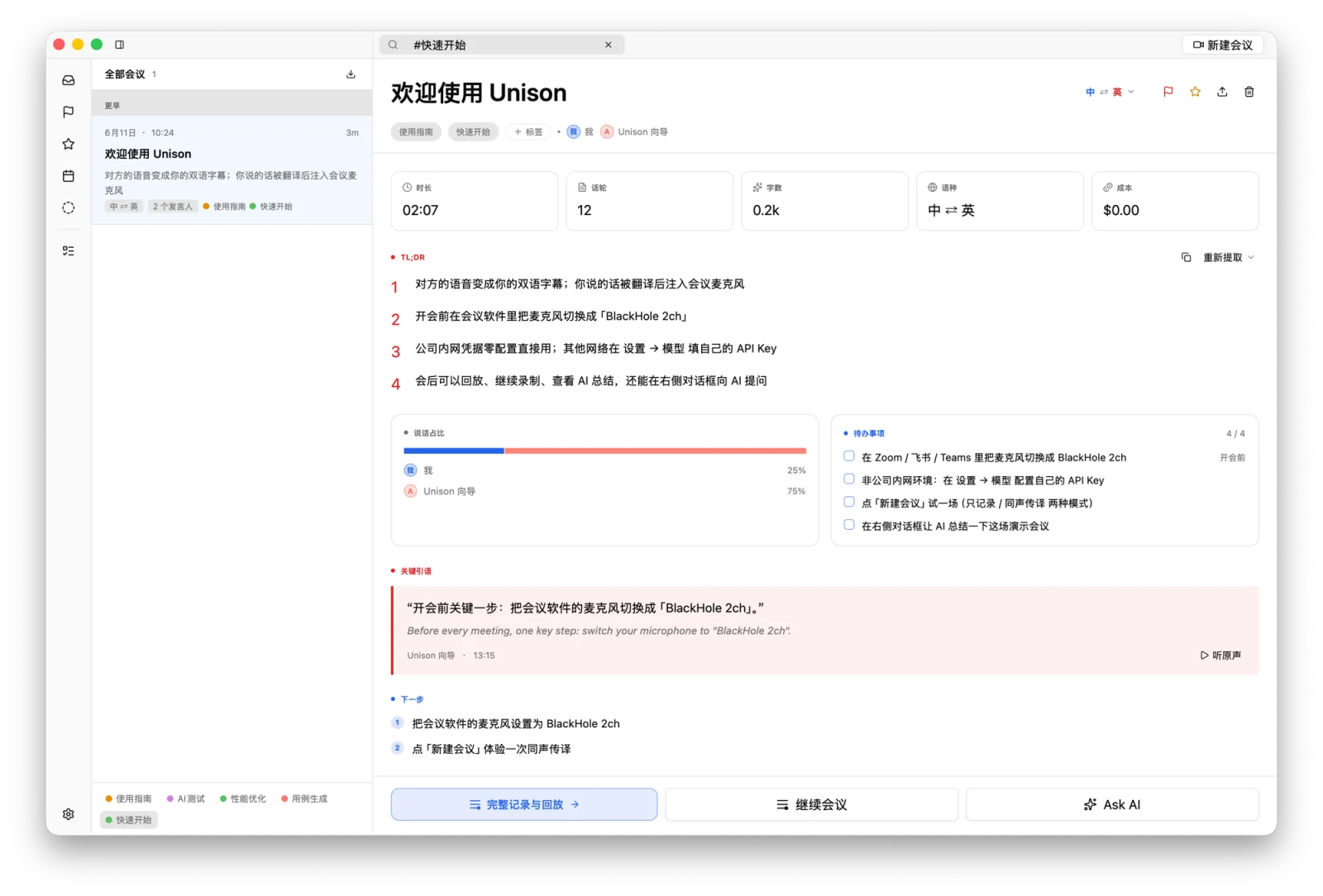
Summary, key quotes and talk-time after every meeting; switch templates, e.g. an interview digest.
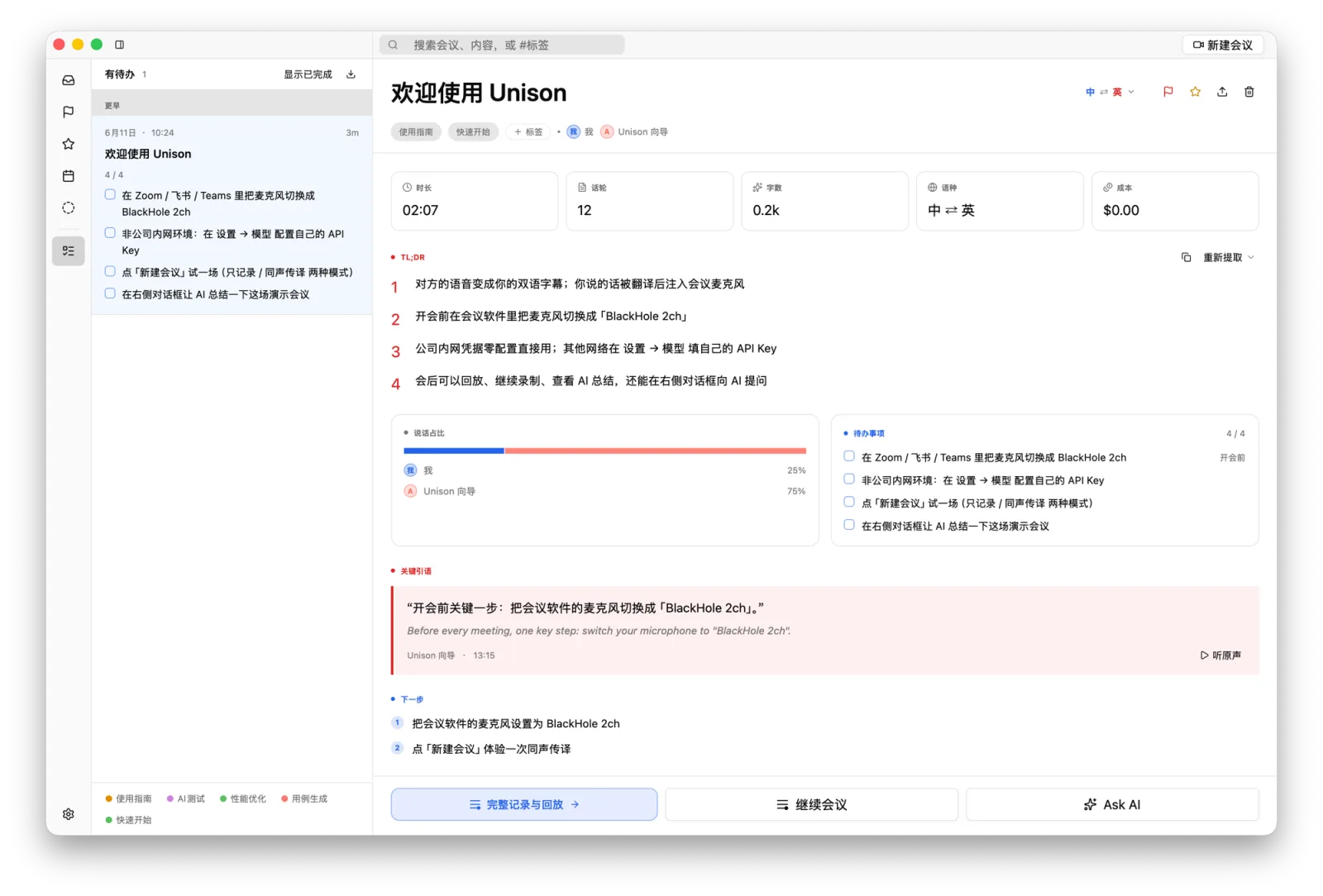
To-dos, collected
Action items are pulled out of the record into a checkable list, tracked across meetings.
Full-text search
One box searches every meeting — titles, bilingual transcripts, tags — straight to the line you need.
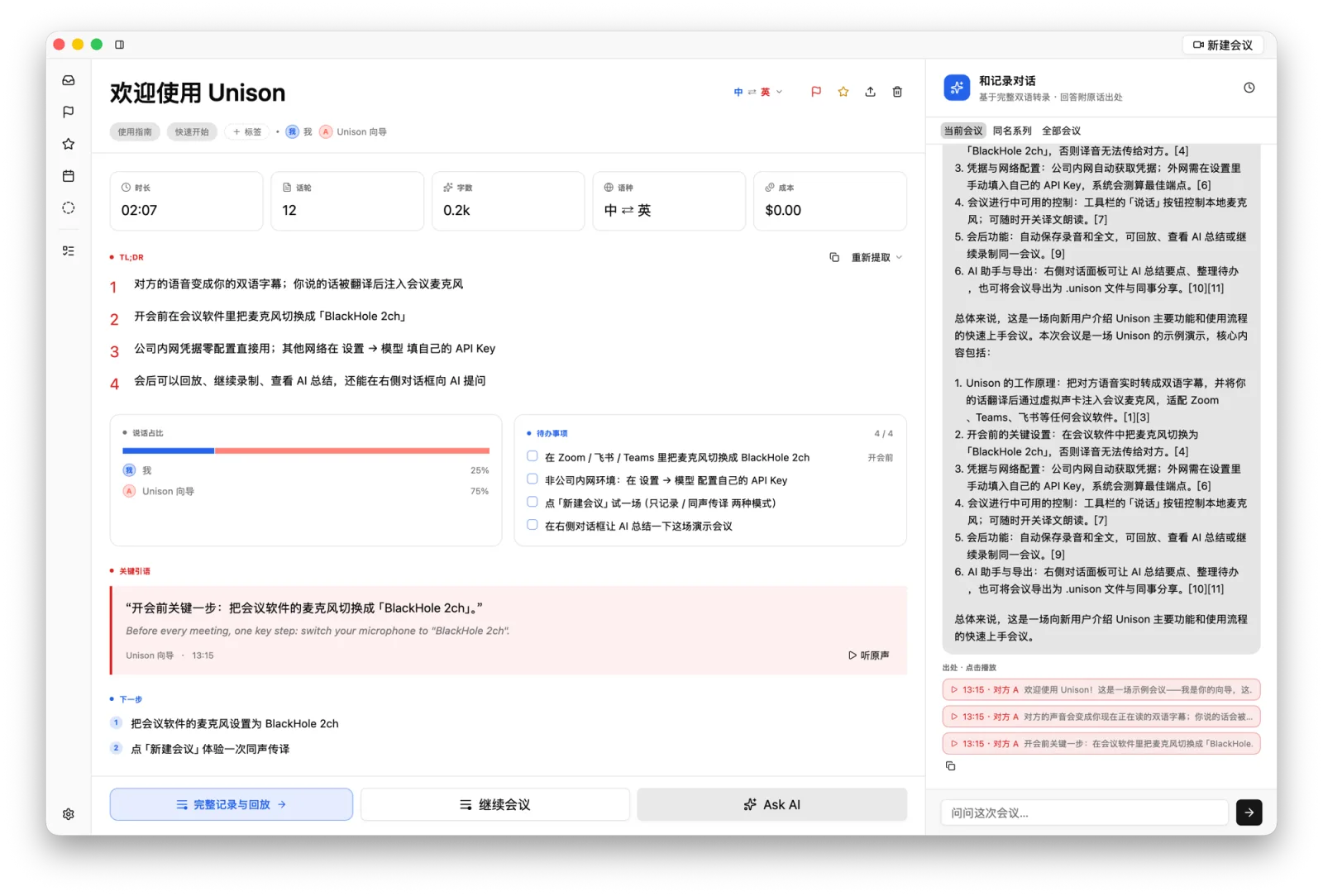
Ask AI · across meetings
Ask questions against the record; answers cite the original lines. Scope it to one meeting, a series, or all.
Chrome extension
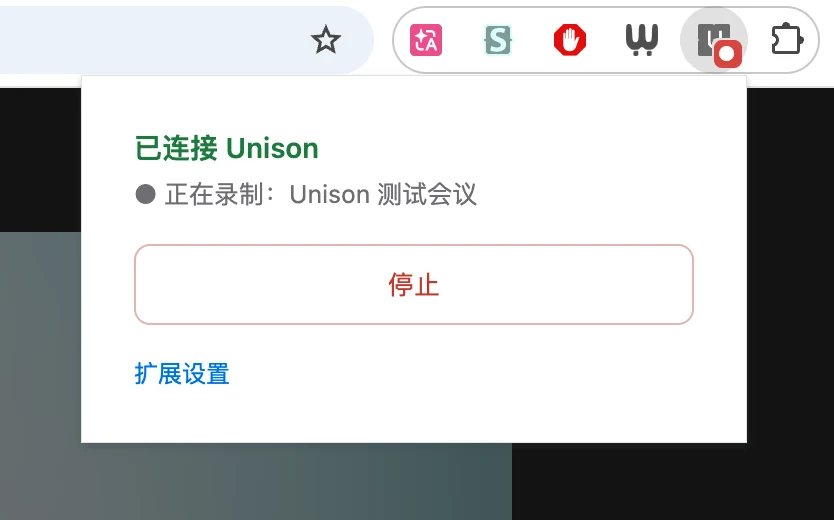
Google Meet starts recording when the call starts and stops when it ends — hands free.
A look at the interface
From the meeting to the follow-up, here's how it looks.
Pricing
Metered by meeting time, plain and simple.
Time is counted per account while a meeting is live; mic and system audio together count once. Resets every Monday at 00:00 UTC.
Start now
Download Unison — your next meeting won't get stuck on language.
Sign in with your Aloud Ink account to use it. Audio is used only for live transcription and translation — the cloud keeps no meeting content; records stay on your Mac.
ALOUD → INK
Your voice, set in ink.
Two products, one idea: your voice, reliably written down.
macOS dictation: tap right ⌘, speak, and clean text lands at your cursor.
Your voice → text at the cursor
 Unison
You're here
Unison
You're here
Meeting interpretation: their speech becomes your captions, yours becomes their language — minutes written after.
The meeting's voice → captions & minutes